In the previous tutorial we created a simple web app using .NET Aspire. Now we will see how to deploy it to Azure.
The simplest way to do this is to deploy to Azure Container Apps. To do this, we need to install the [Azure Developer CLI (azd)](https://learn.microsoft.com/en-us/azure/developer/azure-developer-cli/). Ready? Let’s go!
First, initialize the azure development environment for the project:
> azd init
This commands scans the directory where it runs for instances of aspire app hosts. Detecting the one we have, it asks if we want to continue:
Initializing an app to run on Azure (azd init)

? How do you want to initialize your app? Use code in the current directory

  (✓) Done: Scanning app code in current directory

Detected services:

  .NET (Aspire)
  Detected in: {redacted}\Part3-DeploySimpleWebApp\src\SimpleApp-AppHost\SimpleApp-AppHost.csproj

azd will generate the files necessary to host your app on Azure.
? Select an option  [Use arrows to move, type to filter]
> Confirm and continue initializing my app
  Cancel and exit
I select to continue. Now I’m asked for a unique name for the environment. This affects a couple of things:
- the name of the resource group that is created in Azure.
- The unique suffix that is given to all resources (using a hash).
- The text on the tag(s) that is added to all resource groups used by the environment.
- Maybe something else that is not documented and I haven’t noticed?
Anyway, choose wisely. I chose Vainolo-Aspire-Part3:
? Enter a unique environment name: Vainolo-Aspire-Part3

Generating files to run your app on Azure:

  (✓) Done: Generating ./azure.yaml
  (✓) Done: Generating ./next-steps.md

SUCCESS: Your app is ready for the cloud!
You can provision and deploy your app to Azure by running the azd up command in this
directory. For more information on configuring your app, see ./next-steps.md
After the project has been configured, we can deploy the app to azure in one command:
> azd up
I’m asked to enter the subscription and location for the deployment. The tool asks this only the first time it runs, storing the selections locally:
? Select an Azure Subscription to use:  [Use arrows to move, type to filter]
>  1. {redacted} ({redacted})

? Enter a value for the 'location' infrastructure parameter:  [Use arrows to move, type to filter]
  53. (US) West US (westus)
  54. (US) West US 2 (westus2)
> 55. (US) West US 3 (westus3)
Here we go!
Packaging services (azd package)


Provisioning Azure resources (azd provision)
Provisioning Azure resources can take some time.

Subscription: {redacted} ({redacted})
Location: West US 3

  You can view detailed progress in the Azure Portal:
  https://{redacted}

  (✓) Done: Resource group: rg-Vainolo-Aspire-Part3 (3.467s)
  (✓) Done: Container Registry: acrz44hwzvck46as (15.744s)
  (✓) Done: Log Analytics workspace: law-z44hwzvck46as (19.271s)
  (✓) Done: Container Apps Environment: cae-z44hwzvck46as (2m16.714s)

Deploying services (azd deploy)

  (x) Failed: Deploying service Web1

ERROR: error executing step command 'deploy --all': failed deploying service 'Web1': updating container app service: applying manifest: PUT https://{redacted}
--------------------------------------------------------------------------------
RESPONSE 400: 400 Bad Request
ERROR CODE: ContainerAppInvalidName
--------------------------------------------------------------------------------
{
  "error": {
    "code": "ContainerAppInvalidName",
    "message": "Invalid ContainerApp name 'Web1'. A name must consist of lower case alphanumeric characters or '-', start with an alphabetic character, and end with an alphanumeric character and cannot have '--'. The length must be between 2 and 32 characters inclusive."
  }
}
--------------------------------------------------------------------------------

TraceID: 5459bdbc77f6a12c75cd588bd0de35a5
I have a confession to make – fixing this took me waaaaay longer than it should have. It was not clear which instance of `Web1` was causing the issue, and I was sure it was related to the `SimpleApp-Web1` project name. I was so convinced that I forgot `Web1` was the name I gave the application in the host code 🤦♂️🤦♂️🤦♂️.
Changing Web1 to web1 in the Program.cs file of the SimpleApp-AppHost fixed the issue 👍. I though about adding validation in azd, but alas, the tools is written in Go (☹️ why???). Maybe another time… Anyway, here, we go again!
Packaging services (azd package)


Provisioning Azure resources (azd provision)
Provisioning Azure resources can take some time.

Subscription: {redacted} ({redacted})
Location: West US 3

  (-) Skipped: Didn't find new changes.

Deploying services (azd deploy)

  (✓) Done: Deploying service web1
  - Endpoint: https://web1.{redacted}.westus3.azurecontainerapps.io/

  Aspire Dashboard: https://aspire-dashboard.ext.{redacted}.westus3.azurecontainerapps.io

SUCCESS: Your up workflow to provision and deploy to Azure completed in 45 seconds.
Dashboard is up and running:

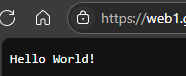
And the app also works:
Now for a very important part of this tutorial: removing the test app. Cloud resources can be
pretty pricey and usage is charged by the second. The Aspire team did this the right way, with a single command to remove the whole environment:
> azd down

Deleting all resources and deployed code on Azure (azd down)
Local application code is not deleted when running 'azd down'.

  Resource(s) to be deleted:

  Resource Group: rg-Vainolo-Aspire-Part3
    • Log Analytics workspace: law-z44hwzvck46as
    • Container Registry: acrz44hwzvck46as
    • Container Apps Environment: cae-z44hwzvck46as
    • Container App: web1

? Total resources to delete: 6, are you sure you want to continue? Yes
Deleting your resources can take some time.e you want to continue? (y/N) y

  (✓) Done: Deleted resource group rg-Vainolo-Aspire-Part3


SUCCESS: Your application was removed from Azure in 18 minutes 4 seconds.
Cool 😎.
Next time, a drill down into the deployment process, what is created, and how it can be changed. Or maybe something else. Time will tell.
As always, the code for this tutorial (and all other tutorials) can be found on my GitHub. Until next time, happy coding!
Be First to Comment